
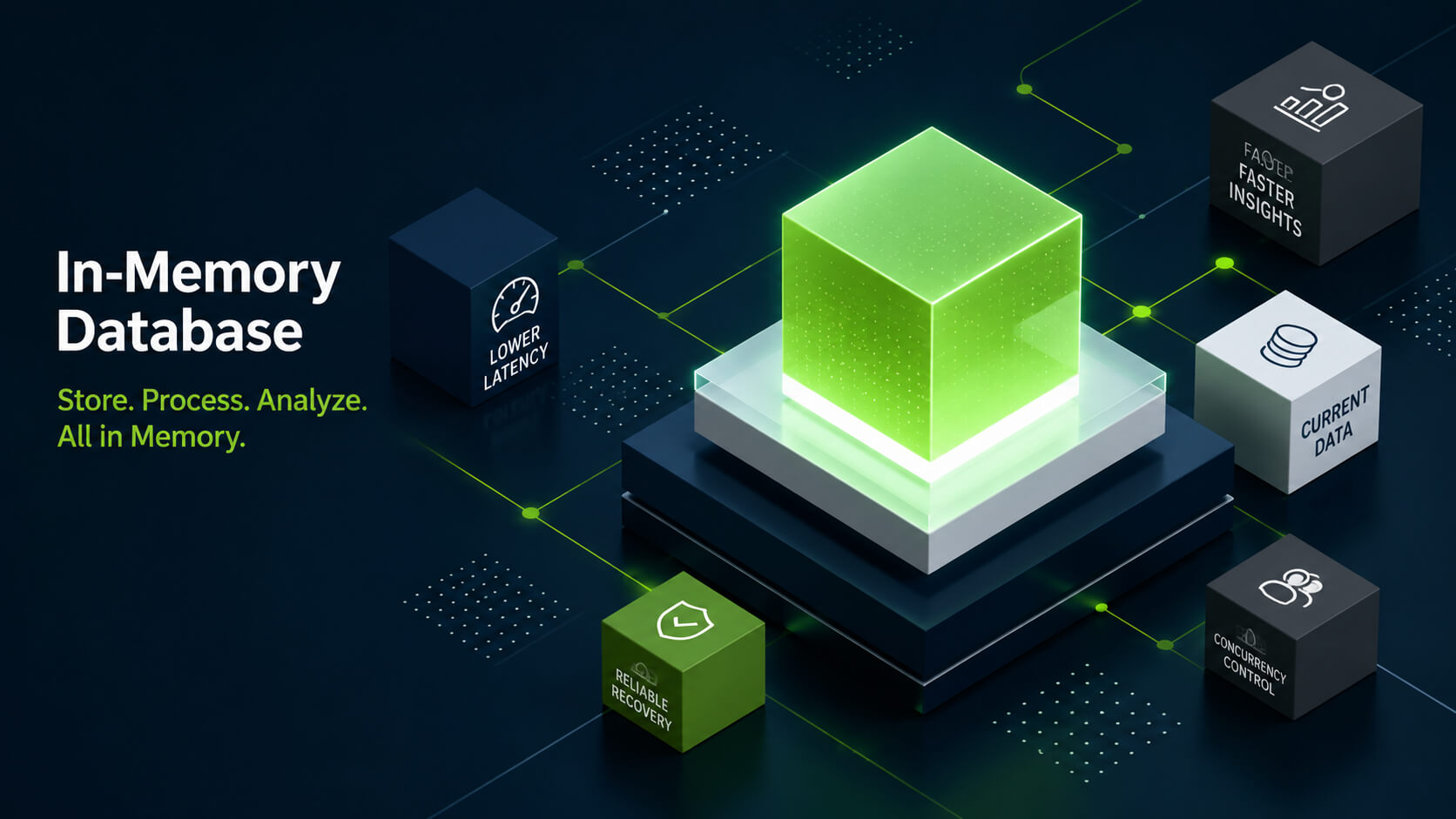
What Is an In-Memory Database?

An in-memory database stores active data in main memory, or RAM, instead of relying primarily on disk storage during query processing. This reduces disk I/O and lowers latency for workloads that repeatedly access active datasets.
Teams use this architecture for workloads with frequent reads, high concurrency, or real-time processing requirements. Common use cases include analytics dashboards, low-latency transactions, caching layers, and operational reporting.
Memory-optimized database technology does not always mean all data stays only in RAM. Many database systems combine memory-optimized processing with persistence, replication, logging, snapshots, or disk-based storage to protect data and support recovery; these database concepts explain why in-memory architecture still needs durability and recovery layers.
This architecture exists because disk access can become a bottleneck for workloads with frequent reads, aggregations, or concurrent queries. By processing active data in memory, the database can reduce latency for analytics, transactions, and operational applications.
Teams use in-memory databases when disk I/O creates latency for workloads with repeated access to active data. They are common in real-time analytics, financial systems, recommendation engines, session management, and applications that require low-latency data access.

Try Exasol Personal for Free
Run real workloads at full Exasol performance.
How In-memory Database Technology Works
This technology keeps active data in the system’s memory layer during query execution. The database engine can access this data without waiting for repeated reads from disk or solid-state storage.
A typical system combines memory-resident data structures with query processing, indexing, concurrency control, and persistence mechanisms. The design depends on the workload. An analytical database may optimize scans, joins, and aggregations, while an operational system may optimize point lookups and low-latency writes.
Memory does not provide durability by itself. Database systems still need logs, snapshots, replication, backups, or persistent storage to recover data after a failure. This separates an in-memory database from a temporary cache that can lose data without affecting the system of record.
The process follows this pattern:
- The database loads active or frequently queried data into memory.
- The query engine reads from memory-resident structures during execution.
- Indexes, compression, and execution plans reduce the amount of data processed.
- The persistence layer records changes through logs, snapshots, replication, or disk storage.
- The system recovers data from durable storage if a node or process fails.
In-memory technology only creates value when the active working set, query execution, and recovery design match the workload. For enterprise analytics, teams also need SQL access, concurrency control, and predictable behavior under real query load.
Dirk Beerbohm, Global Partner Solution Architect, Exasol
This architecture reduces access latency when disk I/O limits throughput. Teams use it when applications or analytics workloads need repeated access to current data or lower query latency under concurrent query load.
Architecture
An in-memory database uses RAM as the main working layer, but its database architecture still depends on components for query processing, persistence, replication, and recovery. These components determine how the system stores data, processes queries, protects changes, and recovers after failures.
| Component | Role in an in-memory db |
|---|---|
| Memory layer | Stores active data for low-latency access. |
| Query engine | Executes SQL, key-value operations, or other database requests. |
| Indexes | Reduce lookup time for filters, joins, and point queries. |
| Compression | Reduces the memory footprint of active datasets. |
| Concurrency control | Manages simultaneous reads and writes. |
| Persistance layer | Records changes for durability and recovery. |
| Replication | Copies data across nodes for resilience and availability. |
| Backup and recovery | Restores data after failure or planned maintenance. |
| Distributed execution | Spreads scans, joins, and aggregations across nodes when one server cannot process the workload within latency or concurrency targets. |
Architecture varies by database type. A relational in-memory database may use SQL, tables, indexes, and transaction controls. A NoSQL in-memory system may use key-value, document, graph, or wide-column models. An analytical database may combine memory-optimized execution with columnar storage, compression, and distributed processing.
These components matter when memory access alone cannot meet database scalability requirements for concurrency, recovery, and distributed query execution. Production systems also need consistency, recovery, access control, workload management, and predictable behavior under concurrent use.

The main design question is not whether the database uses RAM. Many database systems use memory for caching, buffering, or query execution. The relevant question is whether memory acts as a cache, a temporary execution layer, or the primary working layer for active data.
In-memory Databases vs Traditional Disk-based Databases
They use different performance models. An in-memory database keeps active data in RAM during processing. A traditional disk-based database relies on persistent storage and uses memory as a buffer, cache, or execution layer.
The difference affects latency, throughput, cost, and recovery design. In-memory systems reduce repeated disk access for active datasets. Disk-based systems support durable storage at lower infrastructure cost per terabyte.
Neither architecture fits every workload. Teams choose between them based on latency targets, dataset size, concurrency, durability requirements, and cost.
| Area | In-memory database | Traditional disk-based database |
|---|---|---|
| Primary working layer | RAM for active data | Disk or solid-state storage, supported by memory buffers |
| Latency profile | Lower latency when workloads repeatedly access active datasets | Higher latency when queries depend on disk reads |
| Common workloads | Real-time analytics, high-concurrency reads, caching-adjacent workloads, low-latency applications | General-purpose transactions, archival data, large persistent datasets, mixed operational workloads |
| Durability model | Requires logs, snapshots, replication, backups, or persistent storage | Built around persistent storage as the default durability layer |
| Cost profile | Memory capacity can increase infrastructure cost | Disk and solid-state storage reduce cost per terabyte |
| Scaling approach | Often uses distributed memory, compression, and workload partitioning | Often scales through storage, indexing, replication, partitioning, or distributed execution |
| Main trade-off | Lower access latency for active data, with higher memory planning requirements | Lower storage cost, with more dependence on disk I/O |
In-memory Database vs Cache vs In-memory Data Store
They can all keep data in RAM. They serve different roles in enterprise architecture.
A cache stores temporary copies of data to reduce repeated requests to another system. A database management system manages data with query processing, indexing, consistency controls, and recovery mechanisms. An in-memory data store focuses on low-latency access to data structures such as keys, values, lists, sets, or streams.
Teams compare these systems when latency matters but the system of record, durability model, and query requirements differ.
| Concept | Primary role | How it works | Common use cases |
|---|---|---|---|
| In-memory database | Manages active data as a database | Stores active datasets in RAM and applies database functions such as queries, indexes, consistency controls, and recovery mechanisms | Real-time analytics, high-concurrency SQL analytics, operational applications |
| Cache | Reduces repeated access to another system | Stores temporary copies of frequently requested data | Session storage, API response caching, repeated lookup results |
| In-memory data store | Provides low-latency access to data structures | Stores data structures in memory for fast reads and writes | Queues, counters, leaderboards, messaging, key-value access |
| Database cache | Accelerates access to database-backed data | Stores hot records or query results near the application or database layer | Reducing repeated database calls for frequently accessed records |
Core Benefits
In-memory databases help when disk access limits latency, concurrency, or analytical throughput. The benefit depends on the system design, not RAM alone. Indexing, compression, query optimization, concurrency control, and persistence design all affect performance.
Lower query latency
A memory-optimized system keeps active data close to the query engine. This reduces repeated reads from disk or solid-state storage during query execution.
This fits workloads that repeatedly access current data. Examples include dashboards, session lookups, fraud checks, and application queries against hot records.
Lower latency for analytical queries
Analytical workloads often repeat scans, filters, joins, and aggregations over active datasets. In-memory processing reduces storage-read latency during those operations when the active working set stays memory-resident.
Business intelligence dashboards, operational reports, and exploratory analysis depend on repeated filtering, aggregation, and drilldowns. Users can filter or aggregate current data without sending every query through the same disk-bound execution path.
Reduced disk I/O under concurrent access
Concurrency creates pressure when many users or processes query the same active data. Memory-resident systems can reduce that pressure by keeping frequently accessed data in RAM.
The database still needs workload management, indexing, and concurrency control. Memory access alone does not guarantee lower query latency under concurrent query load.
Real-time decision support
Some applications need decisions while events are still current. Fraud detection, personalization, monitoring, and risk scoring often depend on recent transactions, user behavior, or operational signals.
Memory-optimized systems support these patterns by reducing access latency for active data. Teams use them when delayed reads would affect fraud checks, personalization logic, monitoring alerts, or risk calculations.
Support for repeated analysis of active datasets
Large analytical workloads need more than RAM. They also need compression, partitioning, distributed execution, and query optimization.
Memory-optimized execution supports repeated analysis when the system keeps active data accessible and distributes processing across available compute resources. This is most relevant when teams need repeated queries over current or frequently accessed datasets.
Limitations and Trade-offs
In-memory databases require careful memory planning. RAM costs more than disk or solid-state storage per unit of capacity, so teams need to decide which data should stay memory-resident.
Durability also needs explicit design. RAM does not retain data after power loss, process failure, or node failure. Production systems address this with logs, snapshots, replication, backups, or persistent storage.
Dataset size can create constraints. If active data exceeds available memory, the system needs partitioning, compression, tiered storage, or distributed execution to meet latency and concurrency targets.
Workload fit matters. This architecture reduces latency when workloads repeatedly access active data. It may not justify the cost for archival data, infrequent queries, or workloads dominated by long-term storage requirements.
Try Exasol Personal for Free
Run real workloads at full Exasol performance.
Main Use Cases
Memory-optimized database systems fit workloads where repeated access to active data affects latency, concurrency, or analytical throughput. Teams use this architecture when the database needs to process current data without depending on repeated storage reads for every request.
Real-time analytics
Real-time analytics workloads query current data while users monitor events, metrics, or operational processes. A memory-optimized database reduces access latency when dashboards, alerts, or reports repeatedly query the same active datasets.
Cineplexx uses Exasol to support live dashboards and operational workflows across cinema operations. The company works with data refreshed up to every 15 minutes, including loyalty, app, web, and point-of-sale data.
Gintarinė Vaistinė also shows this pattern. The pharmacy group runs complex queries in under two seconds, refreshes data every 15 minutes, and supports reporting with 100 percent uptime.
Big data analytics
Big data analytics workloads often run scans, joins, filters, and aggregations across large analytical datasets. In-memory processing reduces storage-read latency when teams repeatedly analyze the same active working set.
For example, Piedmont Healthcare uses Exasol to analyze 1.5 trillion data points across 40 TB of data. After moving from SQL Server to Exasol, the organization reported 1,000x faster queries.
Fresenius Medical Care processes 550,000 sensitive datasets daily and analyzes billions of data points in under two minutes. The system serves reports to up to 1,500 users.
Business intelligence and reporting
Business intelligence tools often send repeated queries as users filter dashboards, change time ranges, or drill into metrics. An in-memory database can reduce latency when those queries access current or frequently used data.
Spread Group improved reporting speed by 164x with Exasol. The proof point fits reporting workloads where repeated dashboard and report queries create latency.
Helsana reported up to 10x faster query speeds and reduced data loading from 26 hours to four hours. This use case fits reporting environments where teams need lower query latency for current analytical data.
Fraud detection and anomaly detection
Fraud detection systems compare new events against recent transactions, account behavior, device signals, or risk patterns. Memory-resident systems support this workload when checks need low-latency access to current data.
Anomaly detection follows a similar pattern. The system needs low-latency access to recent metrics or events so it can identify deviations before the data loses operational value.
This use case requires more than memory access. Teams also need data freshness, event ingestion, consistency controls, and clear thresholds for alerts or decisions.
Customer personalization
Personalization workloads use recent behavior, profile data, product interactions, or event streams during request processing. Memory-optimized systems support these workloads by keeping active user or session data available for low-latency access.
Cineplexx uses loyalty, app, web, and point-of-sale data to support customer personalization. This requires repeated access to current customer and transaction data.
Monsoon Accessorize reduced report times from 18 hours to minutes and enabled real-time inventory tracking and personalized customer experiences. This pattern connects operational data access with inventory visibility, offer selection, and personalization logic.
Operational applications
Operational applications use in-memory databases when application behavior depends on repeated access to current records. Examples include session management, inventory checks, pricing lookups, user state, and application-level counters.
C.H. Beck reduced query times from minutes to seconds, which improved customer support workflows and employee productivity. This fits operational applications where users need current data during service interactions.
Wissenschaftsstadt Darmstadt uses real-time traffic and environmental data for automated analyses, dashboards, and traffic management. Current traffic and environmental data support traffic management workflows when teams need automated analysis and dashboard access.
These workloads need low-latency reads and writes, but they also need consistency and recovery behavior that matches the application’s risk profile. A temporary cache may be enough for disposable session data. A database is more appropriate when the application must manage data with query, consistency, or recovery requirements.
In-memory Database Examples
In-memory database systems take different forms depending on the workload, data model, and durability requirements. The category includes analytical databases, transactional databases, embedded databases, in-memory data stores, and hybrid systems that combine memory-optimized processing with persistent storage.
Analytical
Analytical in-memory databases support reporting, dashboards, ad hoc analysis, and high-concurrency SQL workloads. They often combine memory-optimized execution with columnar storage, compression, distributed processing, and query optimization.
This design fits teams that run repeated analytical queries over current or frequently accessed datasets. It is common in business intelligence, operational reporting, and real-time analytics environments.
Transactional
Transactional in-memory databases support low-latency reads and writes for operational applications. They need transaction controls, strict ordering guarantees, and recovery behavior that match the application’s risk profile.
This design fits workloads such as session management, order processing, account lookups, and application state. The database must protect active data while supporting frequent updates.
Embedded
Embedded in-memory databases run inside or close to an application process. Developers often use them for testing, prototyping, local processing, or application features that need low-latency access to temporary data.
This design fits workloads where the database serves one application context. It is not the same as an enterprise analytical database that supports many users, shared datasets, and centralized governance.
In-memory data stores
They focus on low-latency access to data structures such as keys, values, lists, sets, streams, or counters. Teams use them for queues, leaderboards, messaging, session state, and low-latency key or record lookups.
Some in-memory data stores provide persistence, replication, or query features depending on the system design. Teams choose an in-memory data store when the workload needs low-latency access to data structures rather than SQL analytics or relational query processing.
Hybrid memory-optimized databases
Hybrid systems use memory to accelerate active workloads while relying on persistent storage for durability, historical data, or larger datasets. These systems combine RAM, disk, solid-state storage, compression, partitioning, and distributed execution based on workload requirements.
This design fits enterprise analytics when teams need low-latency access to active data without keeping every historical record in memory. It limits the amount of data that must stay memory-resident while keeping frequently queried data close to the execution engine.
In-memory SQL Databases
An in-memory SQL database supports SQL queries while using memory as the primary working layer for active data. SQL support lets analytics teams query memory-resident data through existing BI tools, reporting workflows, and relational data models, supported by standardization work from ISO/IEC JTC 1/SC 32.
It also lets teams use memory-optimized execution without replacing relational query patterns with application-specific access logic.
Analysts and engineers can query tables, joins, filters, and aggregations while the database processes active datasets in memory.
Why SQL support matters
SQL gives data teams a common interface for analytical workloads, and it remains one of the core database programming languages for querying structured data. It supports reporting, dashboarding, ad hoc analysis, and integration with existing BI tools.
This reduces the need to rewrite reporting workflows for teams that already use relational databases or data warehouses. They can keep familiar query patterns while using memory-optimized execution for active datasets.
Where these databases fit
In-memory SQL databases fit workloads that need repeated analysis of current or frequently accessed data. Examples include financial reporting, operational dashboards, customer analytics, and high-concurrency BI environments.
They also serve environments where teams need structured querying over shared datasets. A SQL interface can support governance, access control, and reusable data models through shared schemas, permissions, and query logic.
How they differ from embedded in-memory databases
Embedded in-memory databases often serve development, testing, or application-local storage. In-memory SQL databases for enterprise analytics serve shared workloads, many users, and governed datasets.
The difference affects architecture. Enterprise SQL workloads need concurrency control, workload management, recovery design, integration with BI tools, and support for large analytical queries.
Try Exasol Personal for Free
Run real workloads at full Exasol performance.
Java In-memory Databases
Java in-memory databases support development, testing, and application-local workloads where Java applications need low-latency access to temporary or active data. The term can refer to databases written in Java, embedded databases used inside Java applications, or databases accessed from Java through JDBC or client libraries.
When developers use in-memory databases with Java
Developers often use embedded in-memory databases to test application logic without connecting to a production database. This supports repeatable tests, local development, and isolated test data.
Java applications may also use these kinds of databases for session state, temporary records, caching-adjacent workloads, and application-level lookups. These workloads depend on low-latency reads and writes close to the application layer.
Java in-memory databases vs enterprise analytical databases
Java in-memory databases often support application-local workloads. Enterprise analytical databases support shared datasets, concurrent users, governed access, and analytical queries across users, teams, or applications.
The difference affects architecture. Application-local systems prioritize developer workflow and low-latency access inside one application context. Enterprise analytical systems need workload management, recovery design, SQL support, access control, and integration with BI or data engineering tools.
Where Java fits in enterprise database architecture
Java is common in enterprise application stacks, backend services, and data integration layers. An in-memory database can support Java applications when the workload needs repeated access to active records, session data, or temporary processing state.
For analytics, Java typically sits in the application or data integration layer rather than the main analytical interface. SQL, BI tools, and data pipelines often provide the primary access patterns for shared analytical workloads.
In-memory Databases for Analytics
These databases support analytics workloads that repeatedly query current or frequently accessed data. This includes dashboards, operational reports, ad hoc SQL analysis, and monitoring systems where users expect low-latency responses.
Analytical queries often scan, filter, join, and aggregate data across shared datasets. Memory-optimized processing reduces storage-read latency during these operations when the same active data supports repeated queries.
Where in-memory analytics fits
It fits reporting, monitoring, and analytical workloads that repeatedly query current data. Common examples include sales reporting, supply chain monitoring, financial analysis, customer behavior analysis, and operational performance tracking.
These workloads often combine human interaction with repeated query execution. A user may filter a dashboard, change a time range, drill into a metric, or compare segments. Each action can trigger new queries against the same active dataset.
What analytics systems need beyond memory
Memory access alone does not define analytical performance. Analytics systems also need query optimization, workload management, compression, indexing, distributed execution, and integration with BI tools.
Governance also matters. Shared analytical environments need access control, reusable data models, auditability, and recovery behavior that matches production reporting requirements.
In-memory analytics vs caching dashboard results
Caching dashboard results can reduce repeated work for known queries. It does not replace an analytical database when users need fresh data, flexible filtering, joins, or ad hoc SQL analysis.
An in-memory analytical database manages active data for query execution. It supports changing access patterns where users and applications need to analyze data, not just retrieve stored results.
In-memory Databases and Big Data
Big data analytics workloads often involve large analytical datasets, repeated scans, joins, aggregations, and concurrent queries from users or applications. In-memory database technology can reduce storage-read latency when teams repeatedly analyze the same active working set.
RAM alone does not solve big data performance. Large datasets need compression, partitioning, distributed execution, workload management, and persistent storage. These components determine how much data the system can process within latency, concurrency, and recovery requirements.
Why memory matters for big data analytics
Big data analytics often depends on repeated access to current or frequently queried data. If every query waits on storage reads, storage-read latency can increase response times for dashboards, reports, and analytical applications under concurrent query load.
Memory-optimized processing keeps active data close to the execution engine. This reduces repeated storage access for scans, filters, joins, and aggregations over the active working set.
Why big data still needs distributed architecture
Large analytical datasets can exceed the memory capacity of one server. Distributed architecture spreads storage, memory, and compute across multiple nodes.
This design lets the database distribute scans, joins, and aggregations across nodes instead of processing the workload on one server. It also reduces single-node contention when many users or applications query shared analytical data.
Where in-memory technology fits in a big data stack
This technology works as part of a broader data architecture in most enterprise analytics environments. It supports analytics databases, data warehouses, data marts, operational reporting systems, or application-facing analytical services when those systems need lower-latency access to active data.
This architecture fits repeated analysis of active data. Historical storage, raw data retention, and long-term archives may stay in persistent storage while the database keeps current or frequently queried data close to the execution engine.
In-memory Database Market and Technology Landscape
The market for memory-optimized database systems includes several system types. Data teams evaluate analytical databases, transactional databases, in-memory data stores, embedded databases, and hybrid memory-optimized platforms based on workload requirements.
These systems address different workloads. An analytical database supports reporting, dashboards, and SQL analysis. A transactional system supports low-latency reads and writes for operational applications. An in-memory data store supports data structures such as keys, values, streams, and counters.
What teams evaluate
Teams evaluate in-memory database technology based on workload requirements, not memory usage alone. They compare latency targets, query patterns, data model, persistence requirements, concurrency, BI or application integration, and infrastructure cost.
SQL support matters when teams need BI integration, governed data models, and shared analytical access. Persistence matters when the database stores records that must survive failures. Distributed execution matters when one server cannot process the workload within latency or concurrency targets.
Common categories of in-memory systems
Analytical in-memory databases support repeated analysis of active datasets. They often combine memory-optimized execution with SQL, columnar storage, compression, and distributed processing.
Transactional in-memory databases support operational applications that need low-latency reads and writes. They need consistency controls, recovery mechanisms, and workload behavior that matches application risk.
In-memory data stores support low-latency access to data structures. They fit queues, counters, session state, messaging, and key-value access patterns.
Embedded in-memory databases support development, testing, local processing, and application-specific workloads. They serve one application context rather than a governed enterprise analytics environment in most development and application-local use cases.
Try Exasol Personal for Free
Run real workloads at full Exasol performance.
How To Choose an In-memory Database
Teams should choose a memory-optimized database system based on workload requirements, not the presence of RAM alone. Many database systems use memory for caching, buffering, or query execution. The selection depends on how the system manages active data, query patterns, durability, concurrency, and integration.
Define the workload first
The workload determines the database architecture. Analytical workloads need efficient scans, joins, aggregations, compression, and SQL support. Operational workloads need low-latency reads and writes, consistency controls, and recovery behavior.
Caching workloads have different requirements. They need temporary access to frequently requested data rather than full database management, governed schemas, or complex query processing.
Check the data model and query requirements
A relational workload needs SQL, tables, joins, permissions, and reusable data models. A key-value workload may need low-latency access to records by key. A streaming or event-driven workload may need access to recent events, counters, queues, or time-sensitive state.
The query model affects tooling. BI platforms, dashboards, and reporting workflows often depend on SQL access. Application workloads may use APIs, client libraries, or data-structure operations.
Evaluate durability and recovery
Memory does not retain data after failure. An enterprise database needs a recovery design that matches the workload’s risk profile, especially when teams manage financial records, customer transactions, or operational reports.
Teams should evaluate logs, snapshots, replication, backups, failover behavior, persistent storage, and failure behavior in distributed systems. Temporary data may tolerate loss. Financial records, customer transactions, and operational reports need logs, replication, backups, failover behavior, and tested recovery procedures.
Assess concurrency and scale
Concurrency affects how the database behaves when many users, applications, or processes access the same data. Teams should validate workload management, indexing, partitioning, and distributed execution through Exasol performance testing that reflects real query patterns.
Another reference point for decision-support query evaluation is the TPC-H industry standard.
Scale also depends on dataset size and active working set. A database may store historical data on persistent storage while keeping current or frequently queried data close to the execution engine.
Validate integration requirements
An in-memory database must fit the surrounding data architecture. Teams should check BI tool support, SQL compatibility, application drivers, data ingestion, monitoring, security, and governance requirements.
Integration requirements increase when the database supports shared analytical workloads across BI tools, data pipelines, and application services. Without clear integration paths, teams may need extra data movement, custom access logic, or duplicated reporting workflows.
How Exasol Supports Low-latency Analytical Workloads
Exasol uses an in-memory, columnar, massively parallel processing architecture for analytical workloads. Active workloads run in memory across the cluster to reduce I/O latency during analytical query execution.
Columnar storage helps the database read only the columns required by a query. Compression reduces scan volume and improves memory efficiency. Massively parallel processing distributes scans, joins, and aggregations across cluster nodes instead of processing them on one server.
Built for analytical workloads
Exasol supports BI, reporting, ad hoc analysis, and data-intensive applications that need low-latency SQL access. The platform is designed for analytical queries rather than application-local storage or temporary caching.
This architecture fits teams that run repeated analytical queries over shared datasets. Examples include dashboards, operational reporting, customer analytics, financial analysis, and governed AI or machine learning workloads close to enterprise data.
Designed for concurrent query execution
Concurrent analytics can create contention when many users, dashboards, or applications query the same data. Exasol distributes analytical execution across cluster nodes to reduce single-node bottlenecks.
In SaaS deployments, separated compute and storage can isolate workloads such as ingestion, BI, ad hoc analysis, and machine learning. This separates ingestion, BI, ad hoc analysis, and machine learning workloads so they do not compete for the same compute resources.
Supports SQL analytics and existing tools
Exasol supports standards-based SQL and common connectivity patterns such as JDBC and ODBC. This lets teams connect existing BI, ETL, orchestration, and data science tools without replacing every reporting workflow.
SQL supports governed analytics through shared schemas, permissions, and reusable query logic. Teams can avoid creating separate access patterns for each application or dashboard.
Fits phased modernization
Exasol can run alongside existing warehouses, lakes, lakehouses, BI tools, ETL pipelines, and medallion pipelines. Teams can use it as an analytical acceleration layer while they modernize legacy platforms in stages.
This approach fits teams that need lower query latency while keeping existing warehouses, lakes, lakehouses, BI tools, or ETL pipelines in place. It also reduces unnecessary data movement when analytical workloads run close to governed enterprise data.
Try Exasol Personal for Free
Run real workloads at full Exasol performance.
Frequently Asked Questions
An in-memory database stores active data in main memory, or RAM, so the database engine can access it with less disk I/O. Teams use this architecture for workloads that need low-latency reads, repeated analytical queries, or fast access to current data.
Redis is commonly described as an in-memory data store. It stores data structures such as keys, values, lists, sets, streams, and counters in memory for low-latency access.
Redis can support some database-like features, depending on configuration and deployment. It is not the same as a SQL analytical database that supports relational queries, joins, governed schemas, and shared BI workloads.
Teams use Redis instead of SQL when the workload needs low-latency access to data structures, temporary state, counters, queues, sessions, or key-value records. These patterns do not always require relational tables, joins, or SQL-based analytics.
SQL databases fit workloads that need structured querying, joins, aggregations, shared schemas, permissions, and BI integration. The choice depends on the data model, query pattern, durability requirements, and application architecture.
SQL is a query language, not a database architecture. A database can support SQL and still be disk-based, memory-optimized, or fully in-memory depending on how it stores and processes active data.
An in-memory SQL database supports SQL queries while using memory as the primary working layer for active datasets. This lets teams use relational query patterns, joins, filters, and aggregations while reducing disk I/O for active workloads.